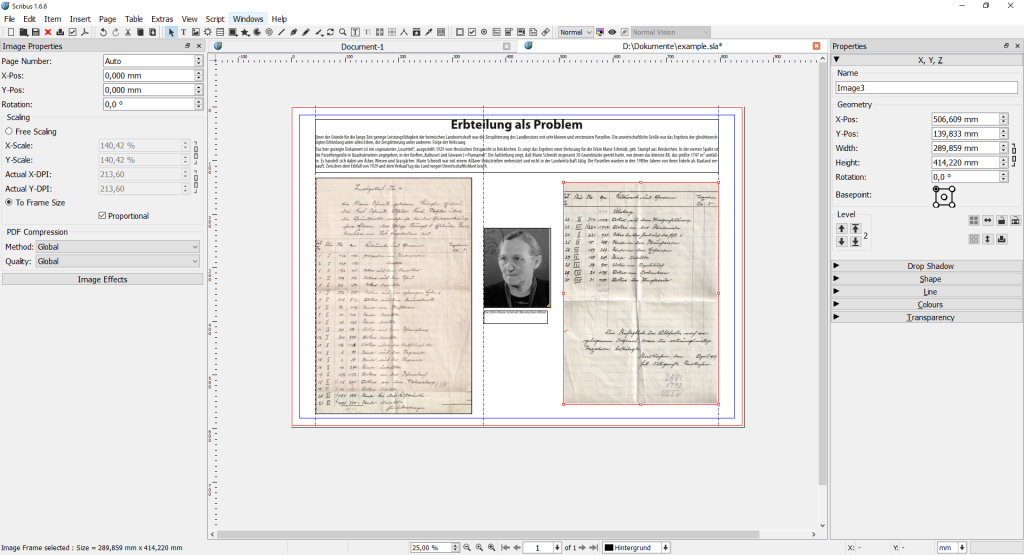
Bring exported images and written content into Scribus to assemble guides, zines, and print-ready documents. These planned workflows show where Scribus can turn separate creative outputs into a publication.
Publishing · Planned
Vector illustration to print layout
Build the illustration once as SVG, then place it into a page layout and deliver a print-ready PDF.
Workflow shapeEditable vector master → placed artwork → print PDF
Scribus contributesPlace the SVG, check fonts, filters, page size, bleed, and linked-image resolution, then export to the printer’s specifications.
View in the workflow catalog ↗
Photography · Planned
Camera RAW to image editing and layout
Develop a camera original non-destructively, then pass a rendered image to pixel editing or page layout.
Workflow shapeRAW develop → rendered still → edit or place
Scribus contributesPlace the rendered still in the publication and check its color profile, dimensions, bit depth, and metadata before export.
View in the workflow catalog ↗
Product imagery · Planned
3D still to product sheet or publication
Turn a Blender render into a polished still and place it in a print or vector layout.
Workflow shape3D scene → rendered still → image cleanup → page layout
Scribus contributesPlace the approved render in a product sheet; check resolution, color profile, transparency, and print dimensions.
View in the workflow catalog ↗
Editorial publishing · Planned
Lay out a short zine or field guide
Assemble a multi-page publication with repeatable typography, page furniture, and replaceable image assets.
Workflow shapePage plan and styles → linked text and image frames → print PDF
Scribus contributesSet page size, facing pages, margins, and bleed; use styles, master pages, and linked text/image frames, then run Preflight Verifier.
View in the workflow catalog ↗
Print production · Planned
Prepare a print-ready PDF and proof copy
Convert a finished Scribus layout into a print deliverable while catching common font, image, bleed, and color issues.
Workflow shapePreflight against printer requirements → export PDF → inspect proof
Scribus contributesFollow the printer’s specified PDF version or PDF/X profile, color settings, bleed, and output intent; run Preflight Verifier and inspect a proof. Confirm requirements with the printer rather than guessing.
View in the workflow catalog ↗