FOR IMMEDIATE RELEASE
Media Contact:
CinterForge Press Office
press@cinterforge.com
BROOKFIELD, Conn., Friday, Nov. 13, 2026 — CinterForge today announced the public alpha of CinterForge Terminal, a cross-platform desktop playground for macOS, Windows, and Linux. Play the classics. Explore computer history. Run real terminals. Build something new. It brings game and computer-history launchers together with a surprisingly capable command-line workspace—because sometimes “just one more level” turns into “I wonder if I can run a server.” Experiences and media are launched or fetched on demand; they are not all installed inside the application.
Type games and pick your era. CinterForge Terminal offers 68 game commands, from JOSHUA, the WarGames-inspired experience, to classic Macintosh favorites, plus 16 interactive-fiction launch options. Browse historic computer configurations and terminal looks, then hop between games and sessions in one tabbed window. Your original terminal session stays put while the next adventure opens in its own tab. Very considerate of it.
Where a command can take you
- Game and story launchers: 68 game commands, including JOSHUA and classic Macintosh titles, plus 16 interactive-fiction launch options. Classic Mac experiences use Infinite Mac; network access and separately obtained media may be needed.
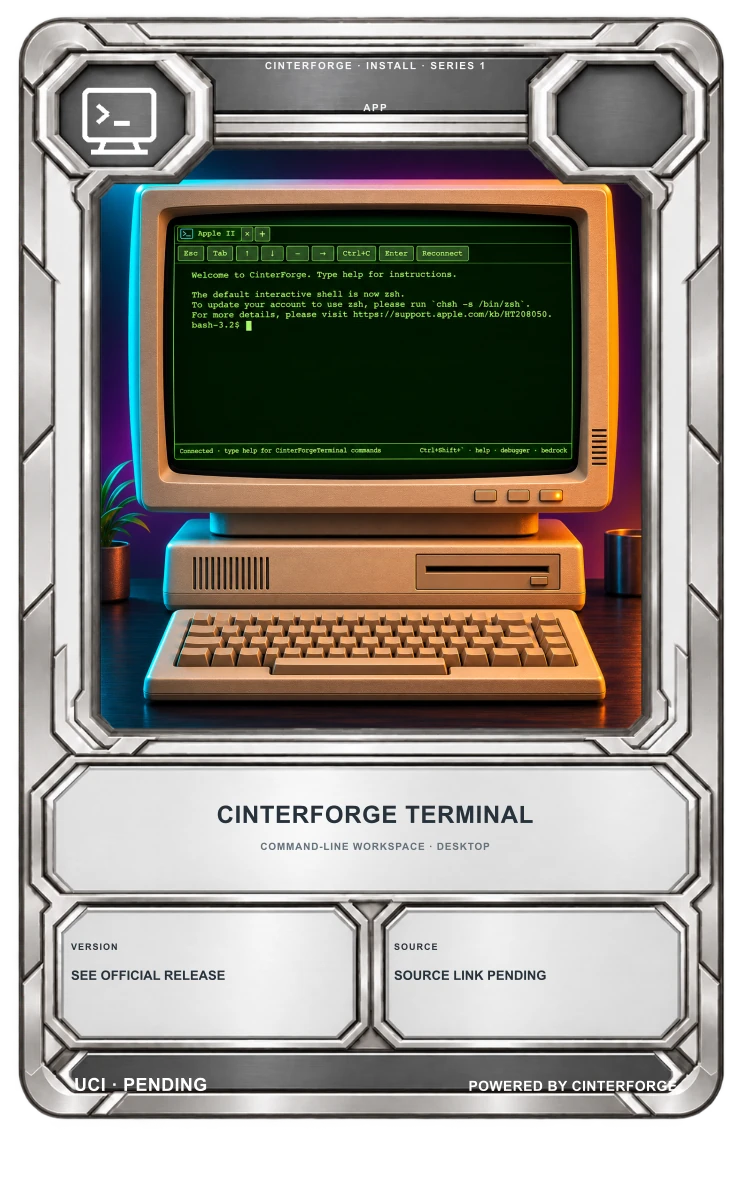
- A little computing time travel: 48 classic Macintosh configurations and 19 visual terminal styles, from Apple II and VT100-inspired looks to BeOS and NeXTSTEP. A style is a visual treatment; an emulated computer needs its runtime and media.
- A world you can host: manage a Minecraft Bedrock Dedicated Server and use its live console to see what’s happening.
- A workshop behind the arcade: open Code-OSS, work with local projects, and use real platform shells where supported.
- A toolkit for builders: use the native WebView and Python application foundation to create other interactive desktop apps.
Game, story, and system experiences are not all packaged inside the application. The app launches available local tools or connects to external experiences and retrieves required media when needed. Network access, separately obtained media, and runtime prerequisites may apply. Catalog entries describe launch options and configurations; they do not mean third-party software, game images, or operating-system media are included.
The fun has a few amazing side effects. The same app can open Code-OSS for local projects, provide real platform shells where supported, and manage a Minecraft Bedrock Dedicated Server with a live console. Want to go from playing a classic to building something of your own? The tools are already a command away. Developers can also use CinterForge Terminal’s native WebView and Python application foundation to build other interactive desktop experiences.
CinterForge’s wider idea is “Everything’s a card”: tools, assets, and experiences can connect through a creative platform. Terminal brings that spirit of exploration and making to a place many people already know—the command line. Its games and features are part of the Terminal experience; Cards are the larger CinterForge vision, not a claim that the Terminal itself currently stores or plays Cards.
“I want people to own their tools, own their work, and have the freedom to create without asking permission.”
— Pete Falco, co-founder of CinterForge
The Terminal is built for curiosity: play a game, wander through computing history, open a shell, edit a project, or invite friends into a world you host. It is a retro game system with a real computer behind the curtain—and the curtain has tabs.
Public alpha availability
CinterForge Terminal’s public alpha supports macOS (Apple silicon), Windows (x64), and Linux (x64). Visit the CinterForge Terminal product page for an overview and platform selection. Download a build for your platform:
For release notes and version updates, visit GitHub Releases. The optional DevTools package supports additional development environments.
Some experiences require network access or separately obtained media. Game software, operating-system images, Minecraft, and other third-party materials have their own license and distribution terms; catalog listings do not mean those materials are included or licensed for redistribution.
Acknowledgments
CinterForge Terminal builds on and connects to work by others. JOSHUA Terminal was created by Marco Iannacone; classic Macintosh sessions connect to Infinite Mac by Mihai Parparita. The native shell uses webview, the development workbench builds from Code-OSS, and interactive fiction uses Daniel Lockard’s Z-machine. JOSHUA is an independent WarGames tribute and is not affiliated with the film’s makers or rights holders. See CinterForge Terminal acknowledgments for broader source, service, media, and license references.
CinterForge
Everything’s a card.
About CinterForge
CinterForge is an independent app, content, and game studio building creative tools and worlds. Its work explores how technology, play, and the things people make can come together in experiences worth sharing.
Explore CinterForge Terminal: Visit the product page
Download the public alpha: macOS · Linux · Windows
Release details and updates: GitHub Releases
Repository: github.com/CinterForge/CinterForgeTerminal
Learn more: CinterForge documentation · News and updates · Terminal source documentation