

CinterForge · Public alpha · macOS, Windows, Linux
CinterForge Terminal
Play the classics. Explore computer history. Run real terminals. Build something new.
A retro game system with a real computer behind the curtain—and the curtain has tabs. Start with a game, wander through computing history, open Code-OSS, or manage a world you host.
Explore the open-source project
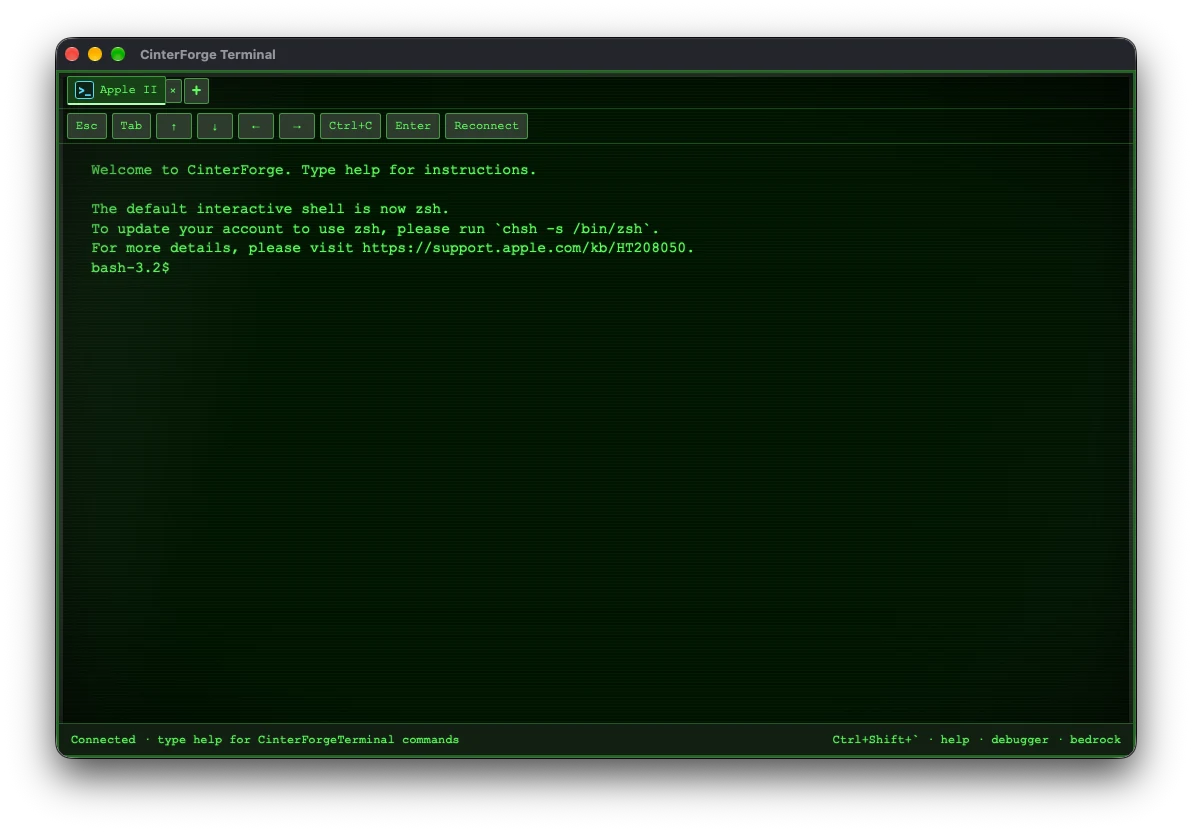
macOS Apple silicon, Windows x64, and Linux x64 downloads are available.
More than a game launcher
Follow a command wherever it goes.
Play, explore, and make from one cross-platform desktop app. Your next tab might be a game, an old computer, or a real shell.
Play the classics
Explore 68 game commands, from JOSHUA to classic Macintosh favorites, plus 16 interactive-fiction titles. Some experiences need a network connection or separately obtained media.
Visit computing history
Browse 48 classic Macintosh configurations and 19 visual terminal styles, including Apple II, VT100, IBM PC, BeOS, NeXTSTEP, and classic Mac looks.
Build something new
Open Code-OSS, work with local projects, and use real platform shells where available. Your original terminal session stays put while the next one opens in its own tab.
Host a world
Manage a Minecraft Bedrock Dedicated Server and use its live console to see what is happening. The official server is obtained separately after license acceptance.
The happy side effect
The arcade has a workshop behind it.
Terminal is made for curiosity: play a round, explore an old system, then use real development tools when you feel like making something of your own. Developers can also build other interactive desktop apps on its native WebView and Python foundation.
Read the Terminal documentationA project we’re grateful for
A thank-you to Infinite Mac.
Mihai Parparita’s work makes decades of Macintosh history easy to explore in a browser.
Infinite Mac brings classic Macintosh and NeXT systems and software within reach, without asking people to install an emulator first. CinterForge Terminal connects curious players to that work as part of its collection of launchable experiences. Infinite Mac is an independent, open-source project; its emulator and media remain the work of their respective creators.
Public alpha · Series 1
Choose your computer. Then choose your adventure.
Builds are available for macOS (Apple silicon), Windows (x64), and Linux (x64). The optional DevTools package is separate. Release notes and checksums are available with the project releases.
For Apple silicon
macOS
DMG installer
Download for macOSFor x64 systems
Windows
ZIP package · 442.6 MiB
Download for WindowsFor x64 systems
Linux
ZIP package · 139.5 MiB
Download for LinuxCatalog entries are launch options and configurations. They do not mean third-party software, game images, or operating-system media are bundled or licensed for redistribution. Some experiences need network access, external media, or other runtime prerequisites.